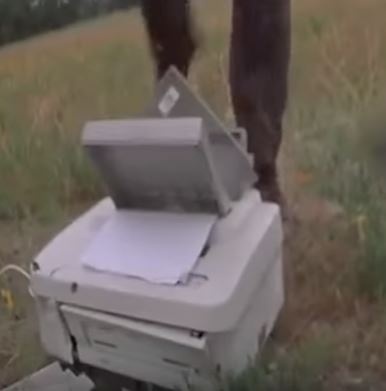
People who are fans of the movie "Office Space" remember the scene where three of the players take the printer out to the field and beat it to death because it keeps giving an paper jam error even when there is no paper jam.
Read More

Canada Wide: 1-877-LEPPERT
Burlington: 905-333-8766
Hamilton: 905-522-9029
email: support@leppert.com
Trusted by Canadians for over 49 years!
People who are fans of the movie "Office Space" remember the scene where three of the players take the printer out to the field and beat it to death because it keeps giving an paper jam error even when there is no paper jam.
Read MoreTopics: Multifunction Printer, Printer, Managed Print Services

Part of the Series from our Guide to Postage Meters in Canada:
Being notified your model or device is now obsolete? Is soon to be dropped from support? This may not be a bad message to receive. It may be an opening for you to modernize and improve your processes and review your current supplier relationship.
Options to consider if notified
Many organizations have received this kind of notice and immediately jump to the conclusion they must change their device and will just contact their current supplier. Obviously it may be a cause for concern about future availability of support, service and supplies.
Looking at such a notice another way - it may be perfect timing to check out the market and see what alternative suppliers have to offer. Look for options that give you control over how it is best suited for you to do business. Following this process lets many organizations make a switch, obtaining a better solution while planning for your future needs.
Vendors may decide to use an arbitrary date for telling you when your machine will stop accepting postage downloads. For example one vendor Pitney Bowes has announced that the following series DM 400, DM500, DM800, DM1000, DM1100 may no longer be useable past December 2017.
NeoPost has made similar assertions, and this means that future rate changes made by Canada Post or the downloading of postage may no longer be possible for you.
The three Canadian approved postage machine manufacturers offer postage machines and the related metering devices to control postage. Over time they may inform you that your currrent model is no longer going to be supported. If this feels like you are being dictated as to when to stop using your equipment, this can be true. Why? It will take away your ability to 'fill' your postage machine with new postage, as without the meter it will no longer allow for downloading new postage or rates forcing it to be obsolete.
This could be more about trying to get you to upgrade, vs. your choice of trying to maximize your investment of a postage machine over the long term. Fundamentaly most postage machines/meters have not changed much over the last 10 years, other than recently Canada Post removed the ability for parcel rates to be built in. If parcel rates is not something you used thru your meter, then the need to update it may not matter to you and this may be more about your vendors want to change you into a new platform to support their parcel postage system.
What to look at:

There are six key components which make up a postage machine acquisition which can affect the long term value of that deal:
Each of these six components becomes an integral part of the ability for an organization to use the device they acquire for postage production and control,
Rate changes critical
The ability for a postage device to have its rates upgraded quickly and easily in the event that Canada Post changes postage rates is a critical component of the functionality of the device and ideally you want this to be bundled in so you do not incurr fees everytime Canada Post decides to change their rates.
One of the things that you will learn if you look at the market today, rather than just renew on an older machine, is that the internet has come to the postage world. Using your internet connectivity vs. sharing your old fax line for update of rates or adding postage to your machine can add convenience.
When model changes happen by a manufacturer, this is often what forces an organization to change devices and be pushed into the uncomfortable position of the expenditure for new equipment creating unplanned budgetary costs. Hopefully this will happen at the normal end of a lease period, or a number of years after your purchase acquisition, but it is not always the case, especially if the vendor becomes the one to dictate the timing.
In evaluating a new device, ask about the date of introduction to detemine the potential lifespan of this new equipment for your organization. If it has been around a long time make sure you ask whether there is any pending obsolescence or at least that the lease term (if applicable) will be fully covered by maintenance and support? Don't take the Sales persons word for it especially if your have recently received an expiry letter from upper management.
Read MoreTopics: Postage meter, Postage, postage machine
When first invented and popularized fax machines were seen as a wondrous invention. After all being able to send a piece of paper or even a whole document to someone in another office or even across the world over a phone line was pretty different than the norm at the time.
Read MoreTopics: mailing machines, MFP, Fax

Again the world has had to deal with a range of attacks which involved ransomware but this time with a new twist.
According to an article published by CNET this latest attack included some action which was very poor as ransomware but which really held some serious threat as it ended in an attack which encrypted specific target computers.
Read MoreTopics: data security, ransomware

While the stories are continuing of the massive number of institutions and major businesses which have been affected world wide by the Wannacry Ransomware attack over the past few days there are a few trends which seem to be coming evident.
Read MoreTopics: network security, IT Scams

There can almost never be enough said about how to keep IT networks secure from those who seem bent on creating problems by hacking or stealing information. The first line of defense for every operation is the password protection used by computer users to login to their workstations and applications.
Read MoreTopics: data security, network security, Canadian IT

Business processes have long been paper dominated systems. Until the advent of computerized process systems some time ago everything that drove the operations of most businesses relied on pieces of paper to flow within and outside of a business for it to succeed.
Read MoreTopics: document filing, document storage strategy, document management, Document, digital filing

Folder Inserters are a category of mailing equipment that too many potential users either don't know about or don't understand. For organizations with a need for repeated mailings in medium to large volumes they can be a substantial time and cost saving solution.
Here's a quick summary of some of the things to consider when looking them over.
Topics: mailing equipment, Mailing

On March 9th Google announced its intention to build a Canadian Region Cloud Centre based in Montreal. This is a significant announcement for Canadian customers and it means that all of the big three hosting services will have Canadian resident facilities to support cloud access from Canada. AWS and Microsoft already offer this option for businesses who wish to connect their hosting and storage to a Canadian location.
Read MoreTopics: cloud computing, data security, Canadian IT

Anyone who spends any time watching news reports about technology issues is aware that there was a significant outage of Amazon Web Services (AWS) last week. There were many major organizations who experienced outages as a result of the failure and it was a little time before news got out to tell us what happened.
Amazon has been forthright in saying that it was an error in their system combined with some long time format issues which caused the problem.
"Removing a significant portion of the capacity caused each of these systems to require a full restart. While these subsystems were being restarted, S3 was unable to service requests. Other AWS services in the US-EAST-1 Region that rely on S3 for storage, including the S3 console, Amazon Elastic Compute Cloud (EC2) new instance launches, Amazon Elastic Block Store (EBS) volumes (when data was needed from a S3 snapshot), and AWS Lambda were also impacted while the S3 APIs were unavailable."
What started out as a fairly routine maintenance activity escalated into a systems delay which had a major impact on a large number of organizations.
Just a couple of the hundreds (maybe thousands) of articles which have been written to deal with the outage.
In spite of the overall reliability that such large IT systems offer there are a few things that any IT operator might learn from the situation that Amazon experienced and that led to some uncomfortable hours for many of their customers.
Having answers to these types of questions is an important part of any business plan. In our highly digitized world it may be necessary to maintain some analog systems which could keep you functioning if the digital infrastructure has to be shut down.
I know of one local company that actually maintains a paper based 'emergency' system for all of their order desks so that customers would not be totally inconvenienced if the electronic systems they normally rely on got shut off. They have a formalized recovery procedure on how to capture the data from the paper system into the electronic one when it is again back on line, without creating duplication, or inconveniencing their customers. Can your organization says they are this prepared for a failure?
Luckily, IT systems are very robust normally, and system administrators take the need for security, backup, redundancy and planning seriously. This means that for most organizations they can operate each day without a threat of disaster hanging over their heads.
However, as the recent AWS, S3 issue has shown even the top professionals in the space can be caught out and even with a pretty quick recovery there can be a large amount of inconvenience, confusion and disruption.
Topics: cloud computing, IT network, digital tools

This blog discusses ways to optimize and improve the management and production of documents used in your business.
Business documents and their content - whether paper or electronic, are the repository of corporate knowledge which underpins all of the functions of commerce. Using them well can have a significant impact on your success.
