Document scanning has become a given technology in most offices. Once users start being able to convert files from paper to electronic form for use in e-mail, storage as records and for ease of portability the growth of electronic documents in the office mushrooms.
I want to go paperless. Of course my desk still has lots of paper on it. It would be so nice to only deal with electronic documents and forgo paper. Is this practical?
Sometimes I find I could really use a portable document scanner. I have access to MFP based document scanning in the office so I can easily convert paper to electronic records and create PDF's of paper documents for e-mailing. There are times however when I really would like to have a small portable scanner that could be taken with me for travel or use at home.
Scanning has become a staple of most offices that use multifunction printer - copiers. Through these devices users have the ability to capture paper documents and use them in their everyday business. E-mailing has overtaken faxing largely due to the ability of businesses to easily adopt scanning.
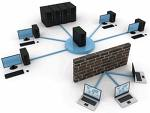
There are three primary ways that you can choose scanners for your document imaging system. You can use scanning capability from a multifunction (MFP) based print device. You can install a dedicated scanner with network scanning capability or you can use desktop connected scanning from your PC.
For over 15 years I have sometimes felt like I was an evangelist as I quoted, configured and promoted document imaging in our area of Ontario, Canada. In the past couple of weeks I have been gratified to meet and talk to people who have really understood the benefits and are adoptees of the tool.
Converting a paper filing system into an electronic record system requires several steps and impacts the workflow of the office. Here is a case in point.
Are you puzzled with the who, what, where and why of document scanning and management? You have heard or read a lot about document management- but exactly what is a document management system- and why do you need it?
Wikipedia defines a Document Management System (DMS) as a computer system ( or a set of computer programs) used to track and store electronic documents and/or images of paper documents.
Smeadsoft defines it as the imaging, storage and retrieval of documents and information scanned into an electronic system. This includes both documents and files orginally created in electronic format as well as paper documents, photos and other items scanned into digital form and saved with keywords.
Both definitions start with STORAGE of documents.
If you want to store documents away- never to be looked at again- then get a brown cardboard box, fill it with paper, seal it up with tape, and store it in the basement- and in 20 years when you move- open it up- and finally decide to throw it out. Rather extreme case in point. Because if you really have documents that you will never have the need to look at again- shred them now.
But most documents do have to be looked at again for numerous reasons.
In your company is there any one type of document that seems to have the most “handprints” on it. Are invoices passed around for approval and payment processing? Is customer correspondence shared with different departments? Are meeting notes distributed to several team members.
Where to start- I’ll share my experience with Accounts Payable.
This blog discusses ways to optimize and improve the management and production of documents used in your business.
Business documents and their content - whether paper or electronic, are the repository of corporate knowledge which underpins all of the functions of commerce. Using them well can have a significant impact on your success.